Help center

Basics through Pro features

Bulk selling-price update

Pro plan only.

Purchase costs and market prices rise over time. Bulk selling-price update adjusts list prices for many wines at once.

How bulk update works

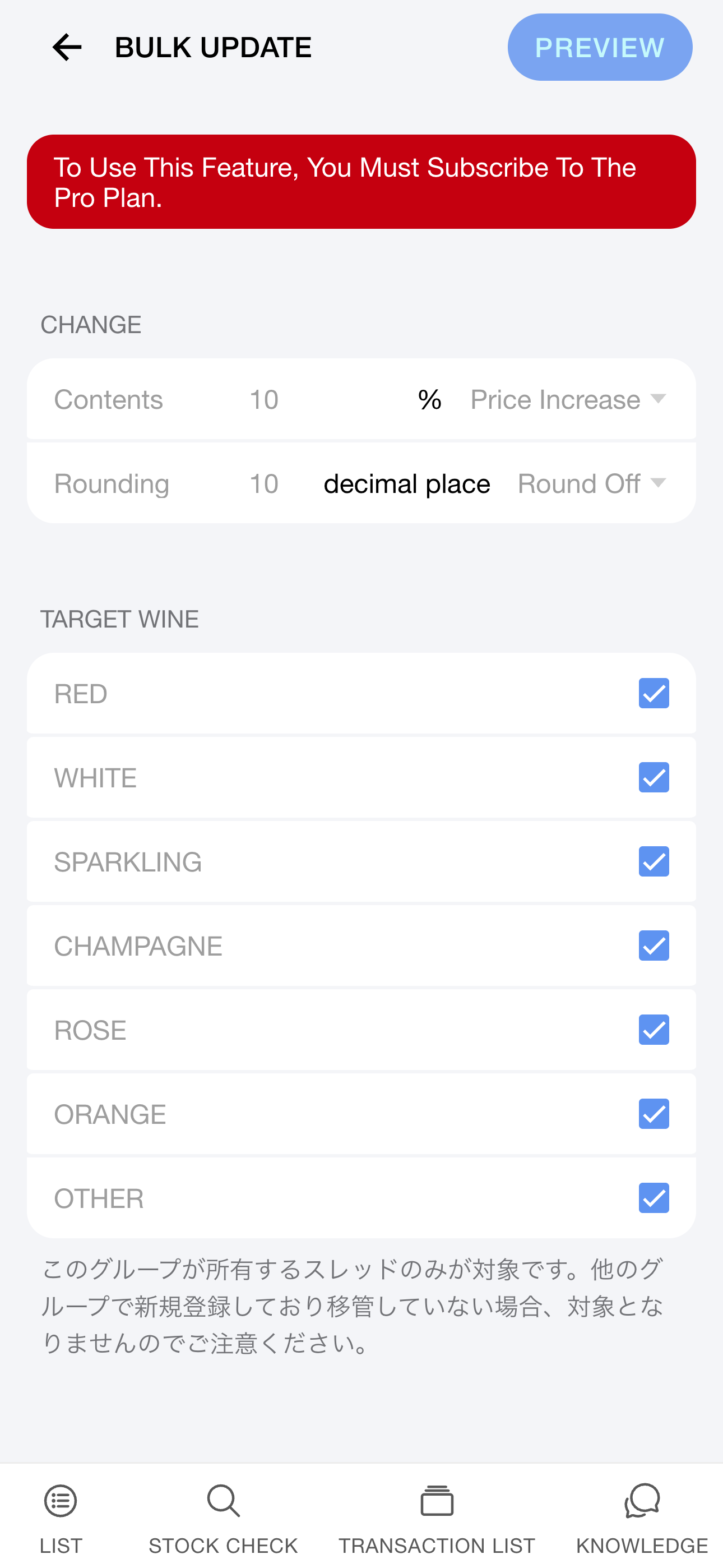
Go to [Group] > [Bulk selling-price update] and configure the following:

  • Increase percentage (%)
  • Rounding (up, down, or half-up)
  • Target groups
  • Target wine types

Tap Preview to review changes, then Bulk update to apply new selling prices everywhere.
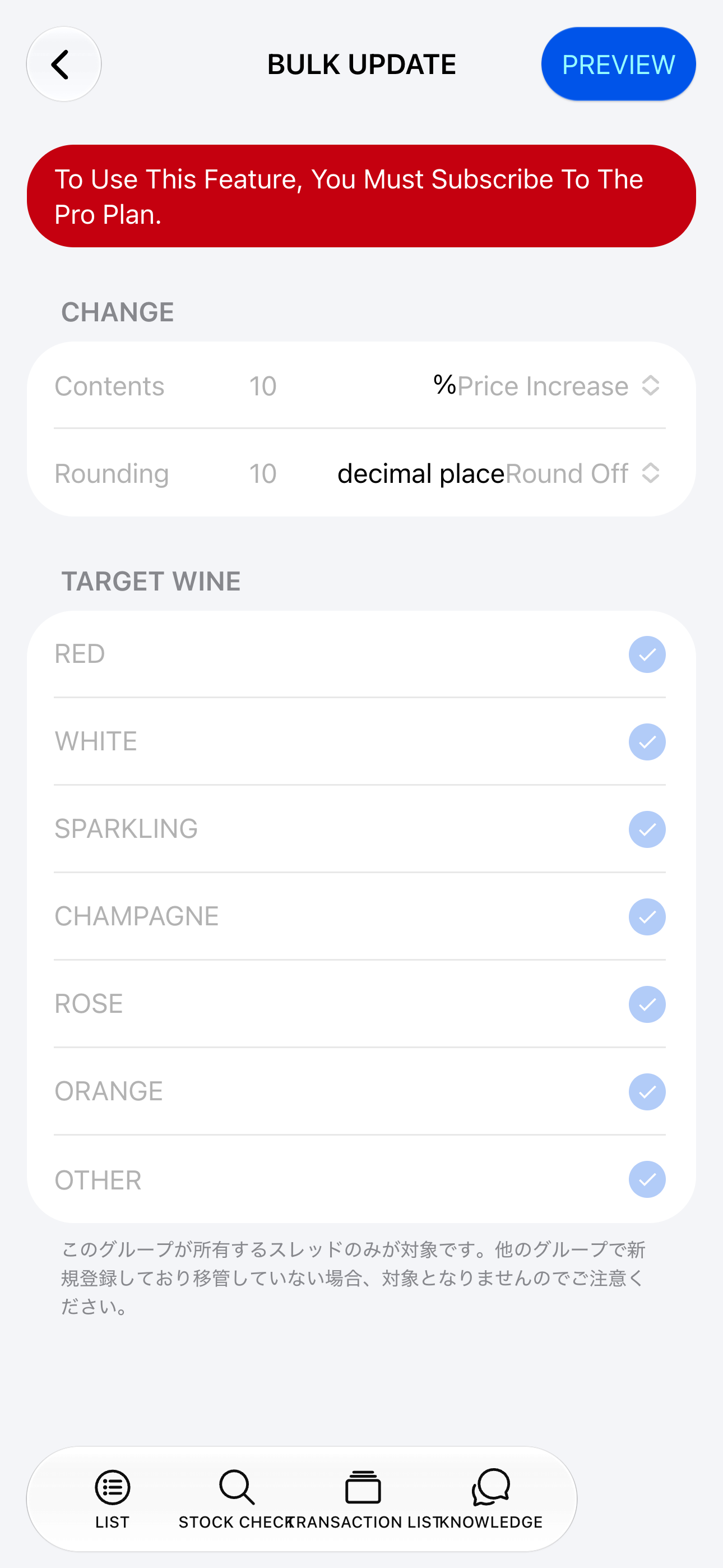
Bulk update (iOS)
Bulk update (Android)

Who can run bulk updates

Only group admins on the Pro plan can run bulk updates. Admins are managed under [Group] > [Members].
Scheduled selling-price refresh

Pro plan only.

Stored wine ties up space and cooling costs. This feature automatically raises selling prices on a set date to reflect carrying cost.

Example: after December 31 each year, increase selling prices by 5%.

Scheduled refresh settings

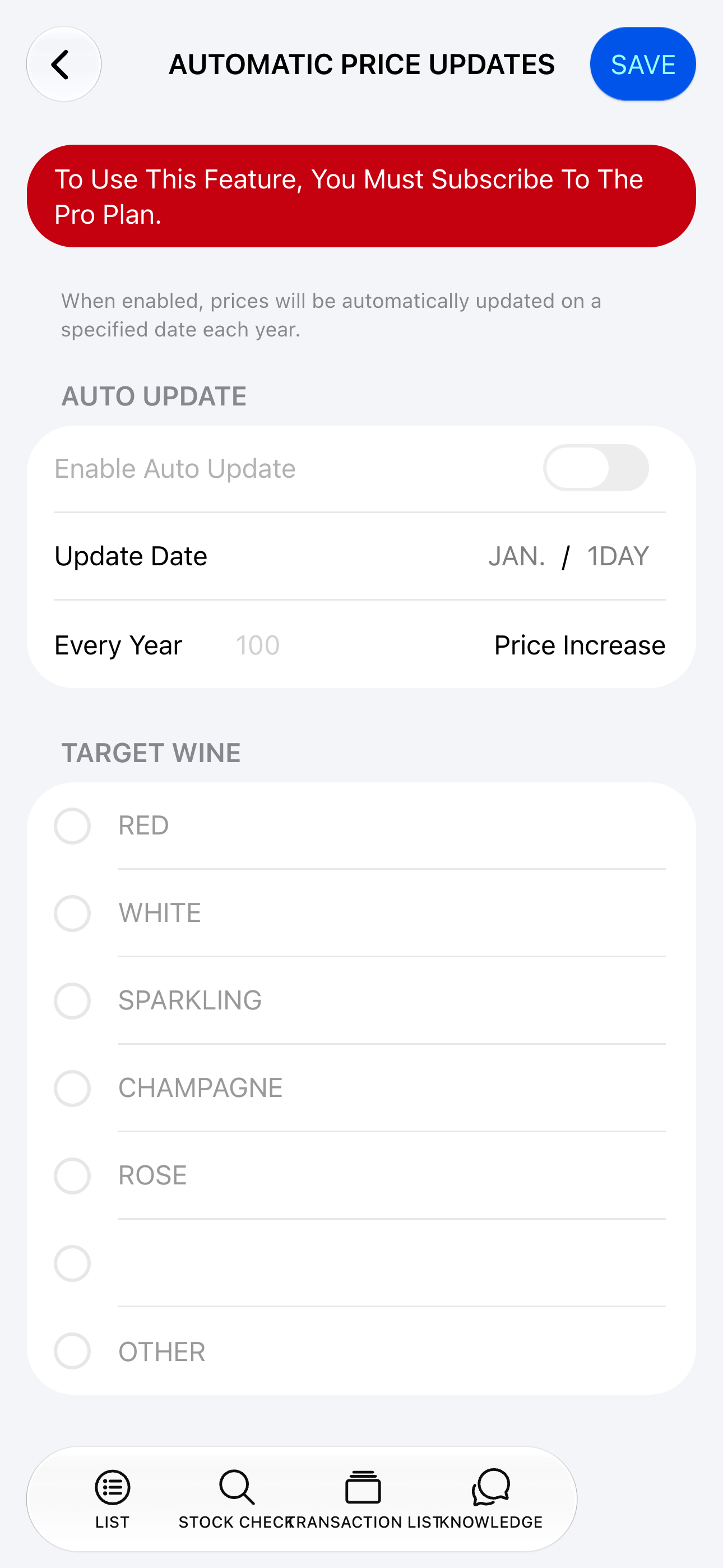
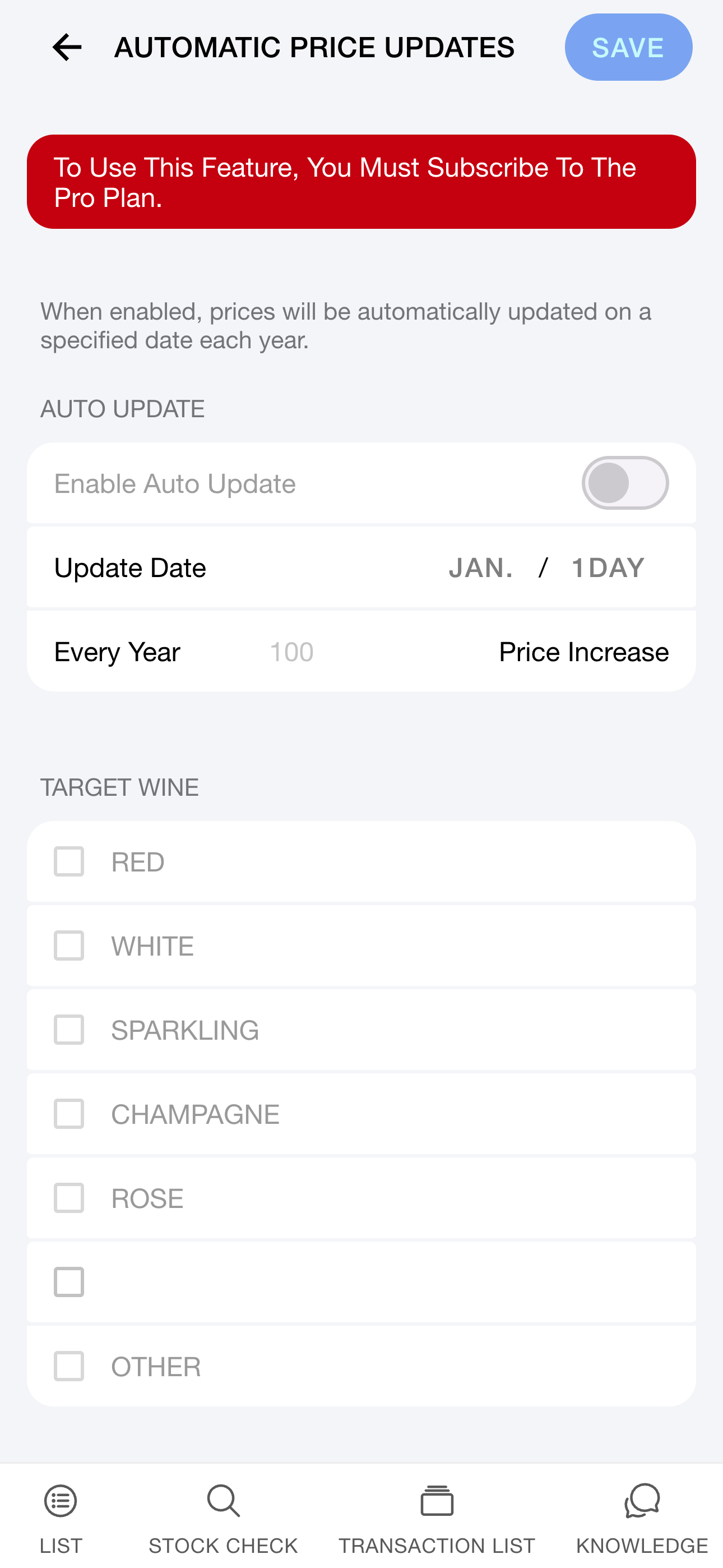
Configure under [Group] > [Scheduled selling-price refresh]. It defaults to Off; turning it on asks for:

  • Refresh date (once a year, month and day)
  • Increase percentage (%)
  • Target wine types

Prices update as soon as that date begins.

Scheduled refresh (iOS)
Scheduled refresh (Android)

Only group admins can configure this.